How to manage multiple projects at once
On a Tuesday at Halden Architects, Maria Santos has two deadlines. The lobby finishes package for Northstar Offices is due to the client on Wednesday, and the restroom finish schedule for Harbor Clinic is due Thursday. The Northstar spreadsheet lists the first. Harbor Clinic's tasks live in last week's meeting notes. Maria's notebook holds a third version of both.
Nobody is careless here. The project plan says who should do what, each person keeps their own list of what they're actually doing, and within a week the two disagree. Status lives in meetings and in people's heads, so with four projects, finding out where things stand takes four rounds of asking. And a spreadsheet row with no date never turns red, so a task nobody has touched for three weeks looks the same as one updated this morning.
Everything else depends on the lists being true, so the method starts there. It's also how Arkscape, a project tracking tool for architects, designers, and engineers, keeps the work.
One list per project, one list per person
Every project gets one list of tasks. Each task has a title that says what done means, one person responsible, and a date. "Lobby finishes package to client, Wed, Maria" is a task. "Lobby" is a topic. Keep the list per project, not per client or per person, so anyone joining Northstar Offices finds everything in the same spot.
Each person also needs one list of everything they're doing, across every project. If the tool can't give them one, they'll keep a private one, and that is where the plan drifts. So each person's list should be made of the project tasks themselves. When Maria finishes the lobby package, she ticks it off once, and the project's list knows.
In Arkscape, each project is a group with its own Arkboard, plus Discussions, Files, and Reports tabs. Add the columns you want, create a card for each task, and set its Responsible person and due date. Use an internal group for your own team, or an external group when consultants or the client work on the project too.
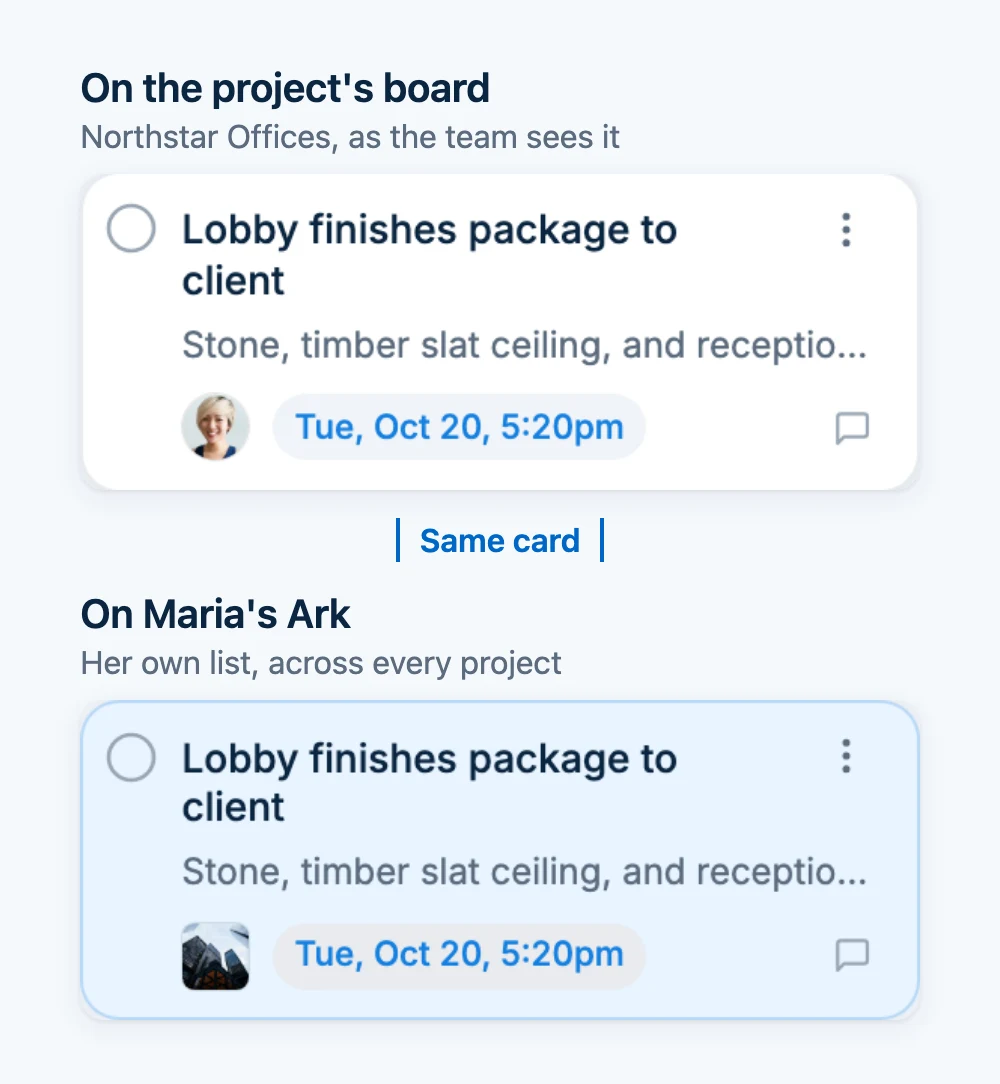
Your own board is Your Ark. When you accept a card on a project group's board, as Responsible or as a participant, the same card is placed on Your Ark, labelled with its group. It isn't a copy. A checklist ticked or a date changed on either board shows on both, and completing it from Your Ark completes it on the project board too.
Read across every project once a week
Once a week, spend twenty minutes reading everything you're responsible for in one pass. Look for four things:
- What is overdue.
- What falls due in the next two weeks, and whether two of those dates land on the same days.
- What you're waiting on from someone else.
- What hasn't moved.
The last one catches trouble earliest. Before a task is late, it usually goes quiet: nobody owns it, or it has no date and nobody has touched it in weeks. Give a date to anything that matters, even a rough one. Then give each task that hasn't changed in two weeks a date and an owner, or close it.
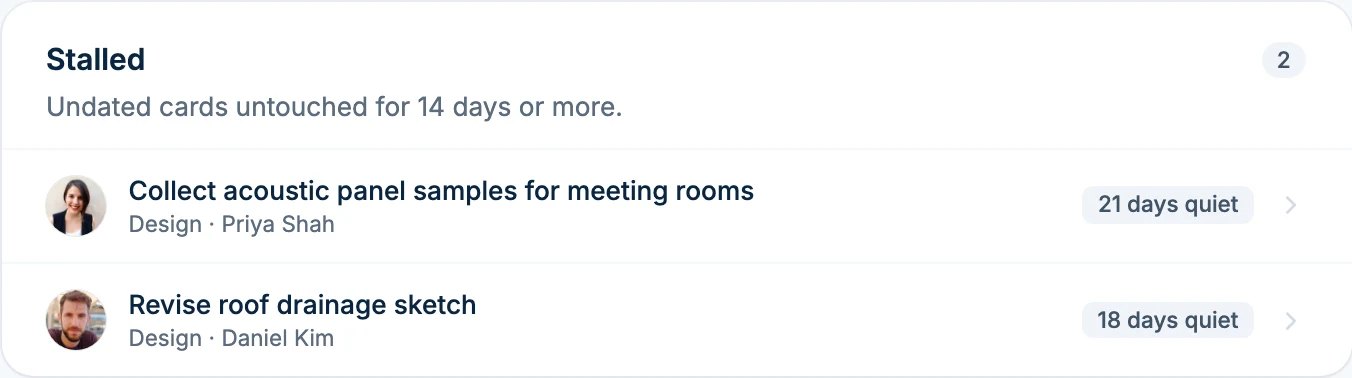
In Arkscape, open Reports from the ... menu on Your Ark. The Ark report covers your whole Ark across every group. Deadlines lists late cards first, then everything due in the next 14 days. Stalled lists open, undated cards untouched for 14 days or more, with who is responsible for each. A project's own report adds an Unowned tile for open cards with nobody responsible.
For the shape of the week, switch Your Ark to Calendar and choose Week or Month. Every Friday, Arkscape also sends a short summary of your own work, with Completed, Due in the next 7 days, Overdue, and Awaiting your response, as a notification in the morning and an email at 3pm. The calendar and the week summary are on every plan, including Free. The Ark report is on every Business plan and on the Connect and Pro Personal plans, and group reports follow the plan of the group's owner.
Decide between competing deadlines
When two dates can't both be met, choose early, using this order:
- A date someone else builds on beats a date only you work toward. If the contractor orders frames from the door schedule, or the structural engineer is waiting on your backgrounds, that date comes first.
- A fixed outside date beats one you set yourself. A planning submission or a tender issue doesn't move. Your own target for a drawing set does.
- If both are outside dates, the one whose slip moves more work downstream wins.
- If the two dates belong to different clients and the order still isn't clear, it's the principal's call, because it trades one client relationship against another.
Then tell the person whose date moves, the same day, with a new date you can keep: "The Harbor Clinic restroom finish schedule will reach you Monday instead of Thursday, because the Northstar lobby package is needed for the client's board meeting. Nothing else in the program moves." A client told on Tuesday can plan around it. A client told on Thursday afternoon can't.
In Arkscape, there is no priority field. A card's due date is its place in line, so move the due date on the card that gives way. The board's Activity, in its ... menu, shows a pushed-back due date the day it happens. Telling the client is still yours to do. If the decision needs their answer, put it on a card and share it with Add people, as in how to share one task with a client.
A weekly routine in Arkscape
- Monday: open Reports from Your Ark's ... menu and read Deadlines for the next 14 days across every project.
- Write down any two dates that clash, decide which gives way, move that card's due date, and tell the person affected today.
- Read Stalled and give each card a date and an owner, or complete it.
- During the week, work from Your Ark. Ticks and dates there update the project boards.
- Friday: read your week summary, and for each project you lead, open the group's Reports tab and choose 7 days for your status update.
In a spreadsheet, the same routine needs one row per task across all your projects, a Project column to filter by, and a last update date so quiet rows show. The architecture project tracker guide walks through a sheet built that way. It stops coping when each person also keeps their own list, because then there are two lists again.
Where this method stops
This method tells you who is doing what by when. It doesn't tell you whether a project is over its fee or how many hours the team has spent. That needs a practice-management tool with timesheets; Arkscape doesn't track time or fees. If your program has tasks whose dates depend on each other, so that moving one moves ten, you need scheduling software with dependencies. Arkscape has a board and a calendar, not a Gantt chart.
No method fixes a studio that has taken on more projects than its people can carry. When every week has a clash, the answer is a staffing conversation with the principal, and possibly a conversation with the client about dates.
Common questions
How many projects can one person run at once? As many as the next two weeks of deadlines allow. Count the tasks due in the next 14 days, not the projects: two projects in heavy documentation can be more than four in early design.
How do I prioritize when every project is urgent? Put the dates side by side and use the order above: dates others build on first, fixed outside dates next, then the date whose delay pushes the most work. Anything still tied is the principal's call.
Should I use one board for all my projects or one per project? One per project, plus one personal list of everything you're doing, made of the project tasks rather than copied from them.
How do I keep track of tasks for multiple projects in Excel? Use one sheet with a row per task and a Project column, so you can filter by project or by person. Add a last update column so quiet tasks show up.
Read next: how Arkboards work, how to delegate tasks to team members, and team workload tracking without timesheets.